

Activate Resend Forge
Activating Forge requires one CNAME record for sending domains. In the case of receiving, you will need to update one MX record. No code changes are required in either case.Open the activation page
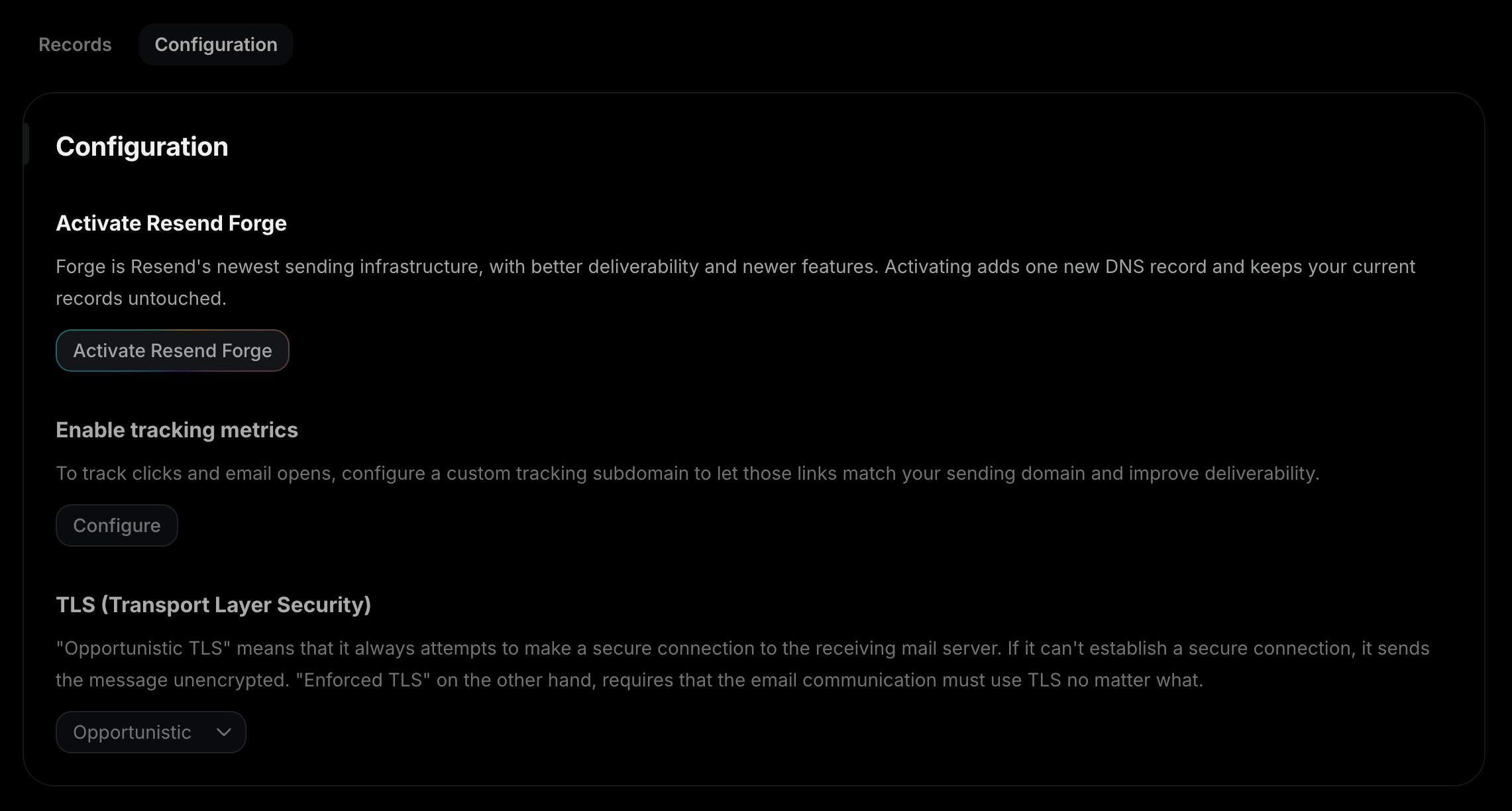
- Go to Domains and select your domain.
-
Under Configuration, click Activate Resend Forge.
Choose the Return-Path
mail.yourdomain.com).
We suggest an available one by default. You can type a different one, and the
field checks that the subdomain is free before you continue.Click Activate Forge.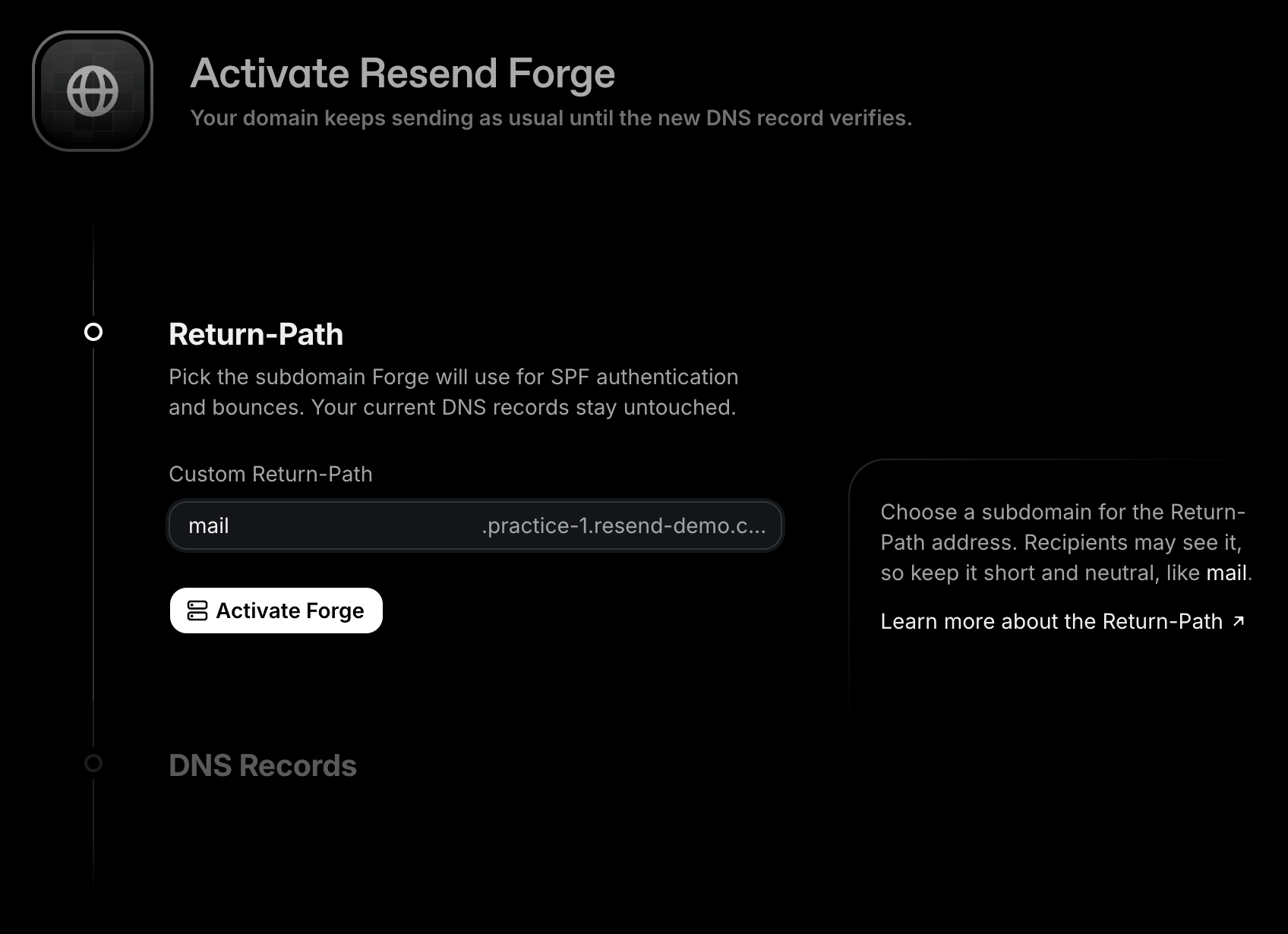
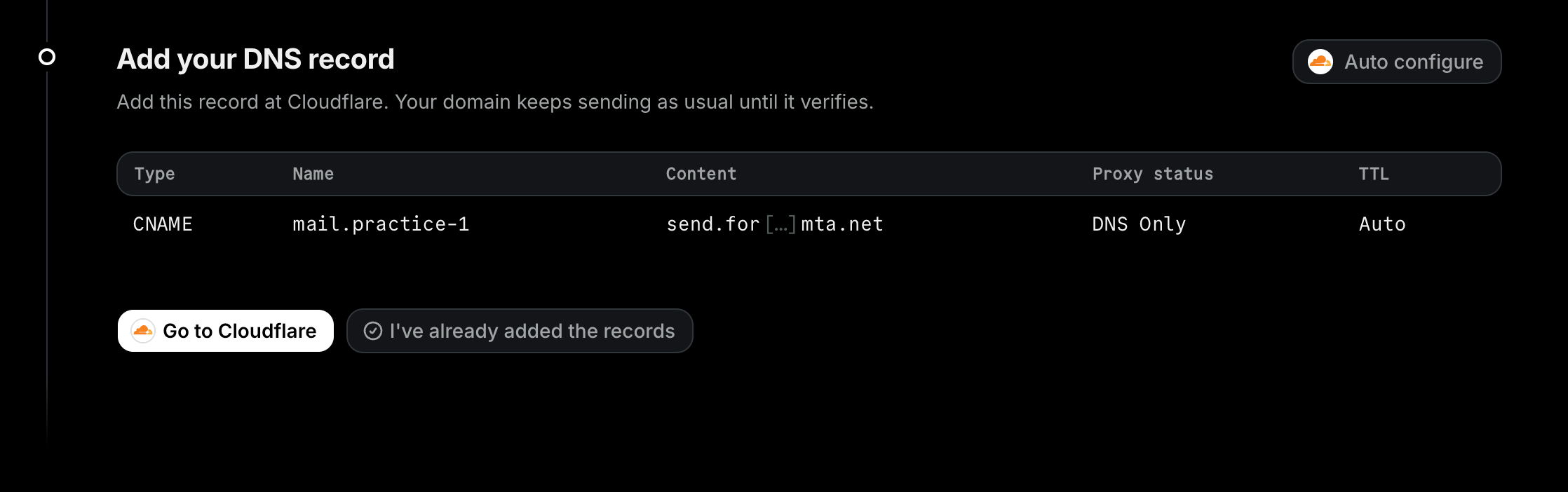
Add the CNAME record
Verify
Checking your Forge status
The top of your domain’s page shows a Resend Forge badge with your domain’s Forge status. That status can be Disabled, Pending, Ready, or Active. Below you can see what each status means.Receiving on Forge
If your domain also receives email, activating Forge shows a new MX record value. Receiving moves to Forge only once you replace your current MX record with it. Until then, inbound email keeps arriving the way it does today, so you can activate Forge for sending first and move receiving later. Nothing changes in how you receive: the sameemail.received webhook events,
API, and retention apply. After you change the MX record, some sending servers
keep using the old value until their cached copy expires, so allow for the
record’s TTL before testing.
Forge only accepts inbound email for a domain whose DKIM record is verified.
Email that arrives before then is discarded and no email.received event is
created for it, so verify the domain before you send test messages to it.
Domain Connect
Domain Connect lets Resend add the Forge records to your DNS for you. If your domain’s DNS provider supports it, the DNS Records step shows an Auto configure button.- Click Auto configure.
- Sign in to your DNS provider in the window that opens and authorize the change.
- Resend adds the CNAME record and starts verifying it. You’re sent back to your domain’s page.
Troubleshooting
If the Forge record doesn’t verify, these are some common troubleshooting methods.My DNS provider rejects the CNAME record.
My DNS provider rejects the CNAME record.
I added the record but it never verifies.
I added the record but it never verifies.
The record shows as failed. How do I restart verification?
The record shows as failed. How do I restart verification?
- Open your domain’s page. Under Configuration, click Finish Forge setup.
- The page shows your CNAME record again. Confirm it matches what’s in your DNS provider and click I’ve added the records to restart verification.
Requirements
- Domains on a Dedicated IP can’t activate Forge. Contact support@resend.com.
- Open and click tracking aren’t supported on Forge yet. You can activate Forge on a domain that has tracking turned on, but its email keeps going through the current infrastructure until you turn tracking off.
FAQ
What happens if Forge has an incident or can't deliver an email?
What happens if Forge has an incident or can't deliver an email?
How long does Forge retry a delayed email?
How long does Forge retry a delayed email?
bounced.Do I need to change my code, SMTP settings, or webhooks?
Do I need to change my code, SMTP settings, or webhooks?
Does Forge cost anything extra?
Does Forge cost anything extra?
Will Forge change my deliverability?
Will Forge change my deliverability?
Can I turn Forge off or move back to the previous engine?
Can I turn Forge off or move back to the previous engine?
Is the previous engine being retired?
Is the previous engine being retired?
Why does Forge need a new Return-Path subdomain?
Why does Forge need a new Return-Path subdomain?
My domain is already a subdomain. Why is the suggested Return-Path so long?
My domain is already a subdomain. Why is the suggested Return-Path so long?
news.yourdomain.com gets a suggestion like
mail.news.yourdomain.com. Recipients see your From address, not the
Return-Path, so its length doesn’t affect how your email looks. The
suggested label is only a default: you can type a shorter one, as long as
nothing else uses that name in your DNS.Which region does Forge send from and receive at?
Which region does Forge send from and receive at?
us-east-1). Data residency is the same
as for every other region. See Data
Residency for details.Your DPA and data residency don’t change with Forge. Forge is part of
Resend, not a separate company, so it doesn’t appear on the sub-processor
list.I have activated Forge but I'm still seeing the old headers
I have activated Forge but I'm still seeing the old headers